For students
Canvas shows you deadlines. It never tells you you’re about to fall behind.
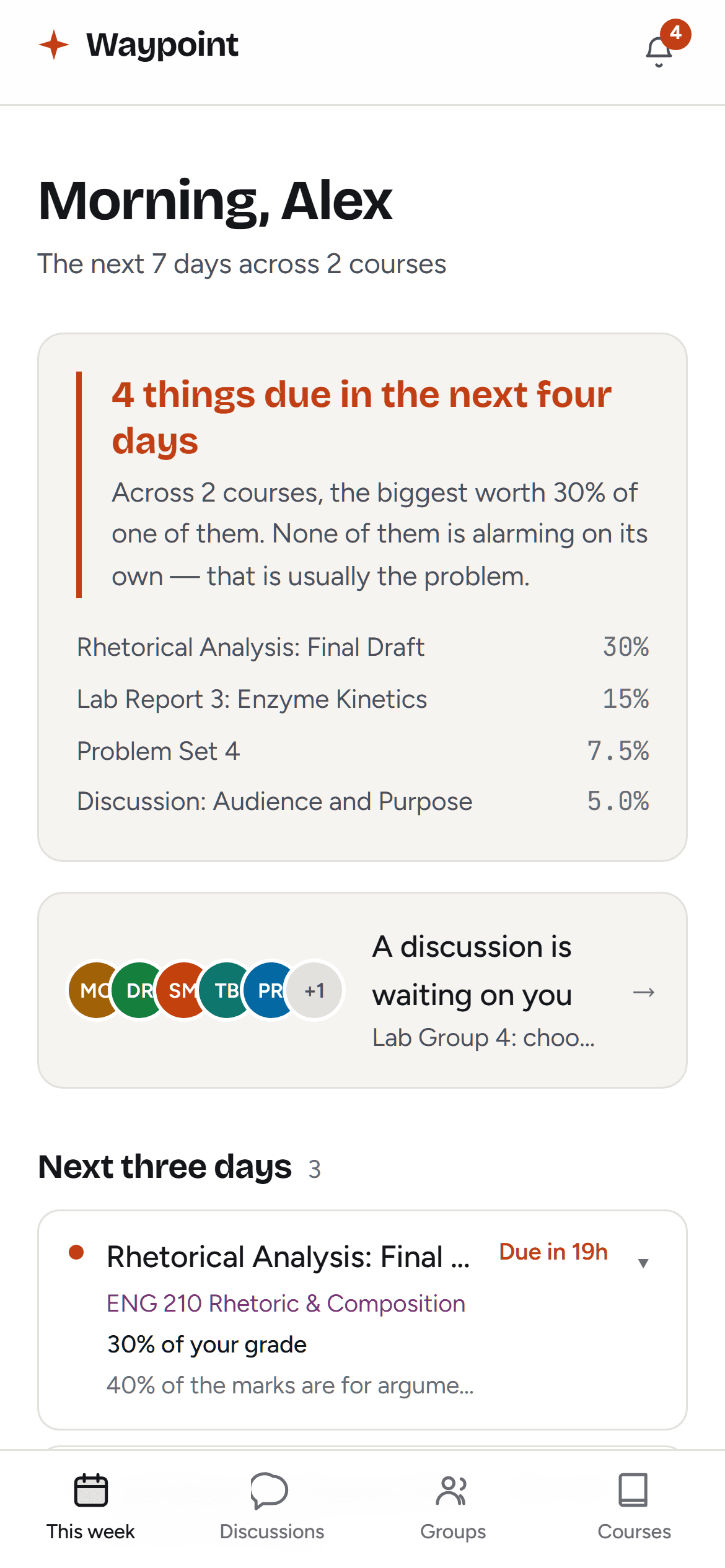
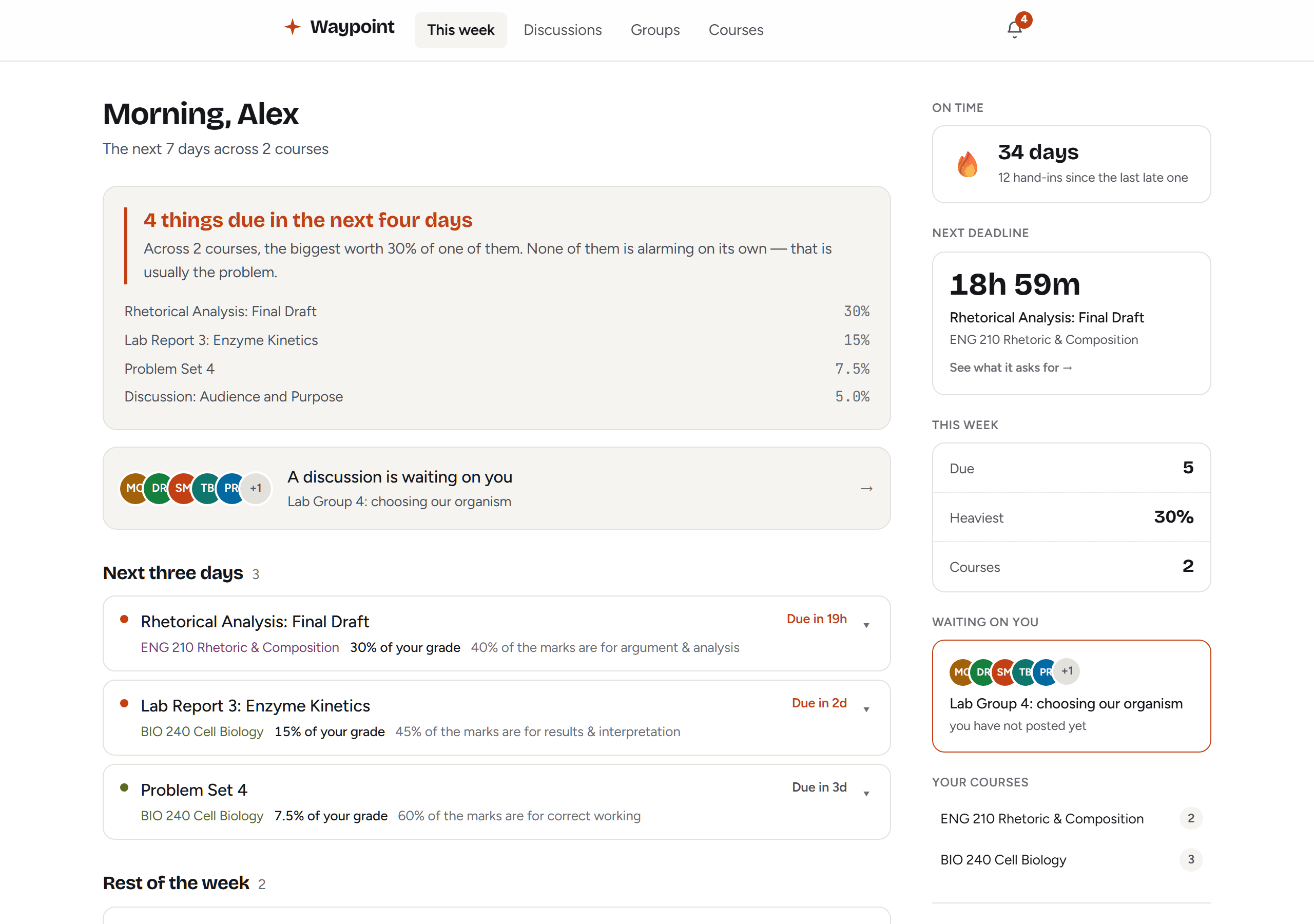
Waypoint reads your whole Canvas account and shows you what actually matters — the week that doesn’t fit, the thread your group is stuck on, and what your grade really is.
Why this exists
Nobody falls behind on one assignment
They fall behind because four landed in the same two days. Each one had a reasonable deadline. Nothing in Canvas adds them up, so the collision is invisible until you’re inside it.
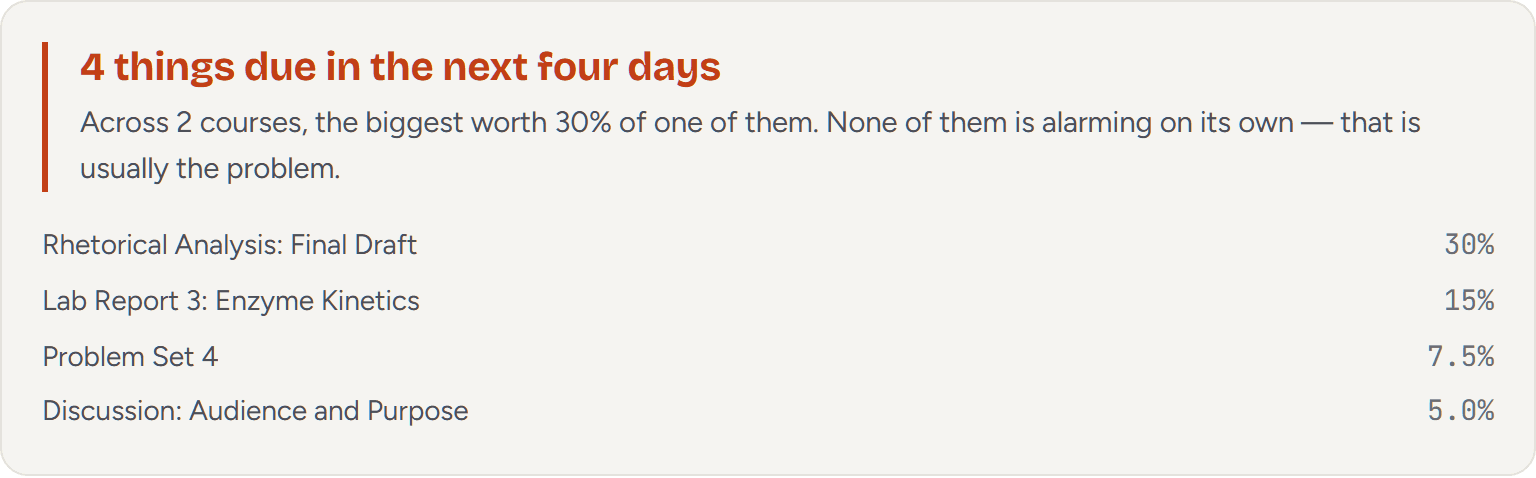
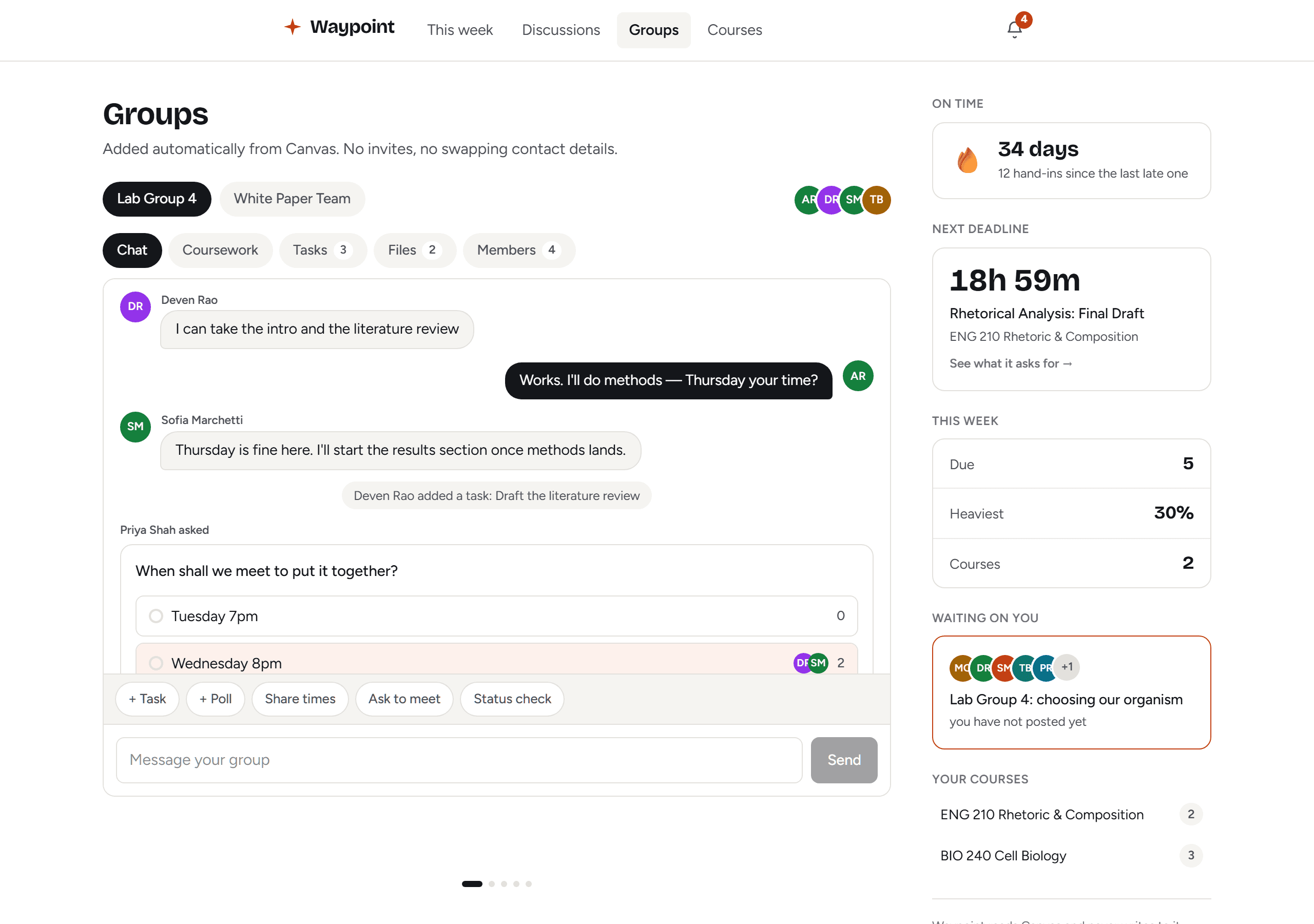
This is what Waypoint shows on the Monday — the whole week added up, what it is worth, and which courses it is spread across.
People, not just points
See who has shown up, and who hasn’t
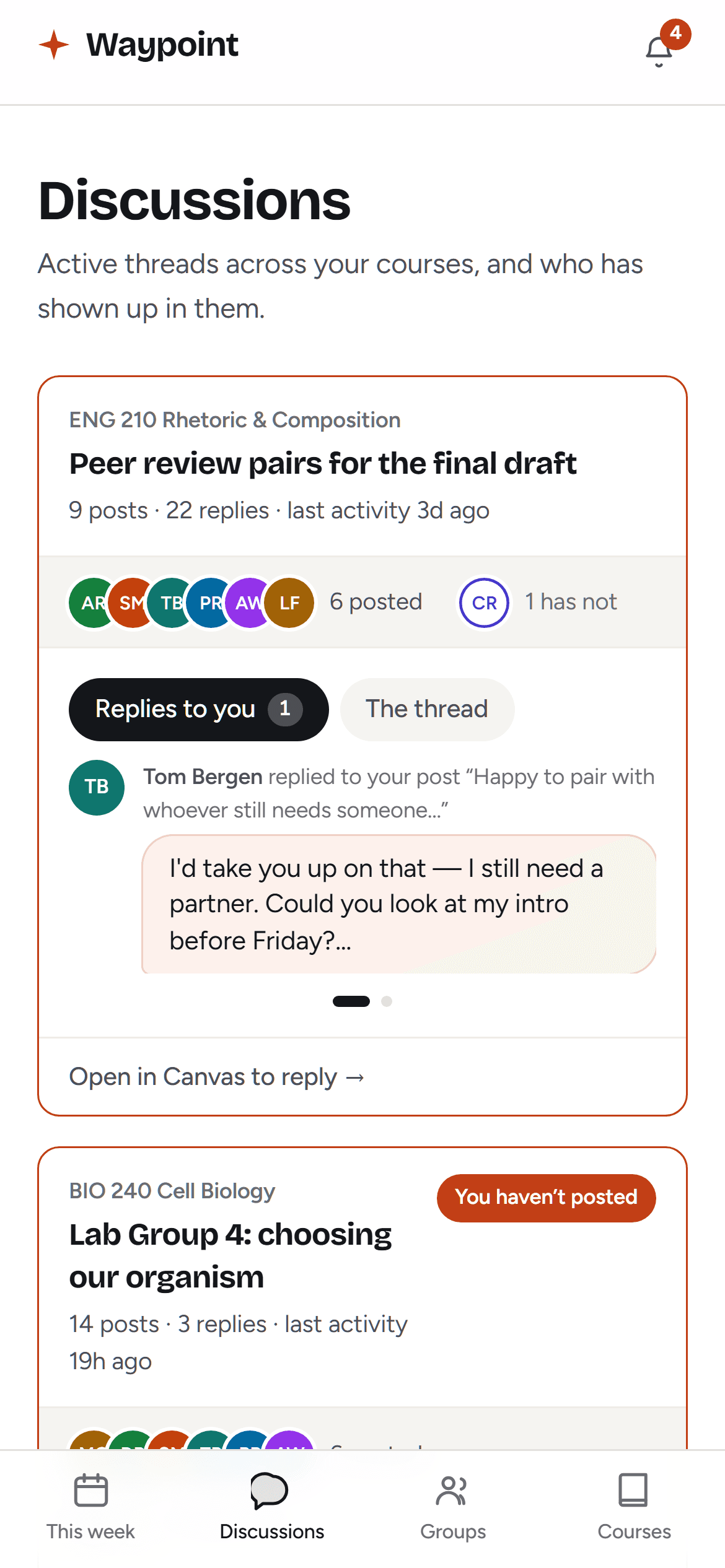
A graded discussion is a room. Canvas makes you scroll the whole thread to work out whether you are in it. Waypoint puts the faces at the top: six posted, two haven’t, and you are one of them.
A thread you have not answered outranks any deadline on the list. A late assignment costs points; going quiet on a group costs standing with people you work with all semester.
Group work
Your group is already in here
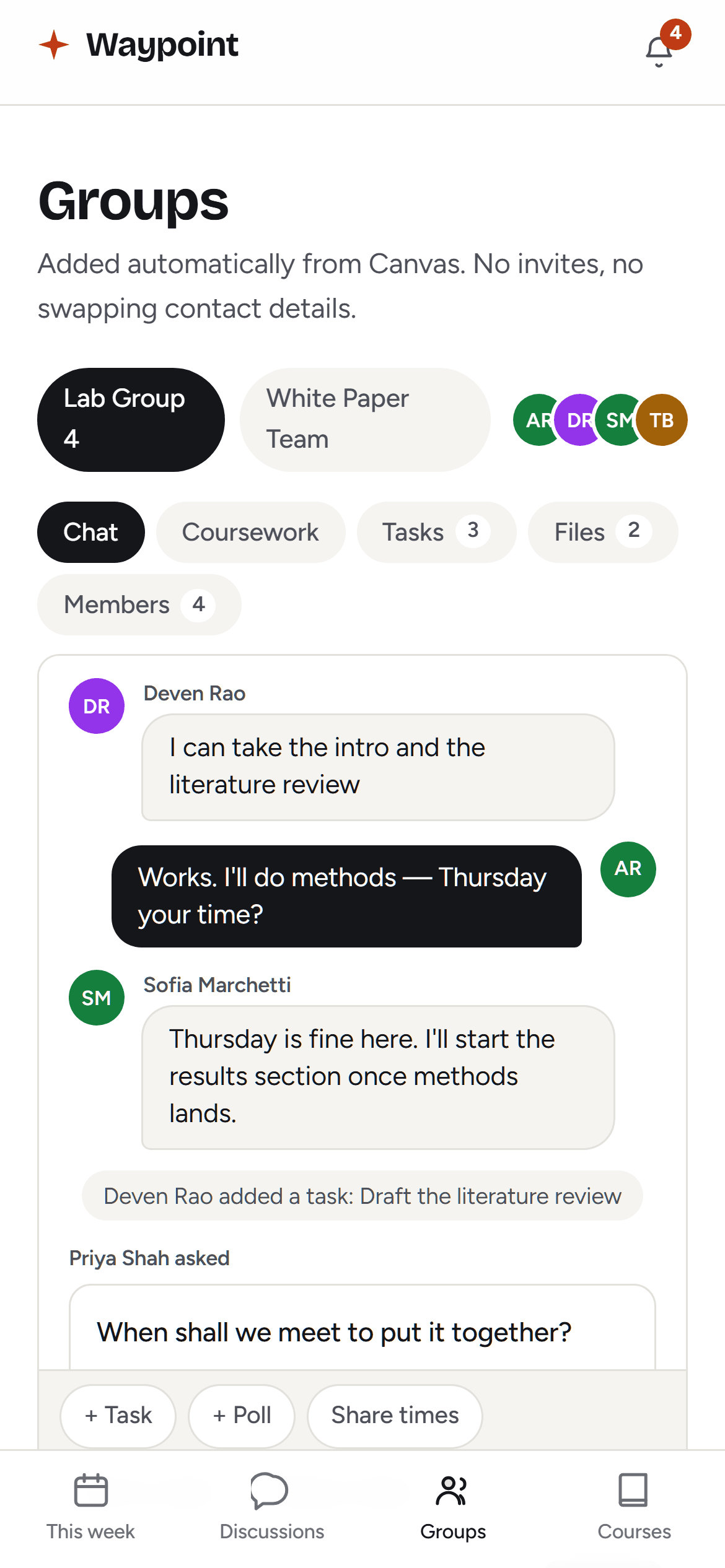
Canvas puts you in a group and then leaves. Someone starts a thread asking whether everyone is using Teams or WhatsApp, half the group never sees it, and three days go on logistics before any work starts.
Waypoint already knows the roster, the assignment and the deadline — so the workspace exists before anyone asks for it. No invites, no swapping numbers, no setup.
- Everyone’s local time, without askingIt is the first question in every group thread, and the browser already knows the answer.
- Tasks that get proposed and agreedTap a chip, name the job, pick a date. Someone claims it or someone else signs off.
- Who is actually aroundSo you know whether to wait for a reply or start without them.
When it comes back
The grade is the part you see. The reason is the part that helps.
Canvas emails you the mark immediately and your tutor’s comment in a daily digest. By the time the explanation arrives you have looked at the number and moved on. Waypoint puts both on the assignment, together.
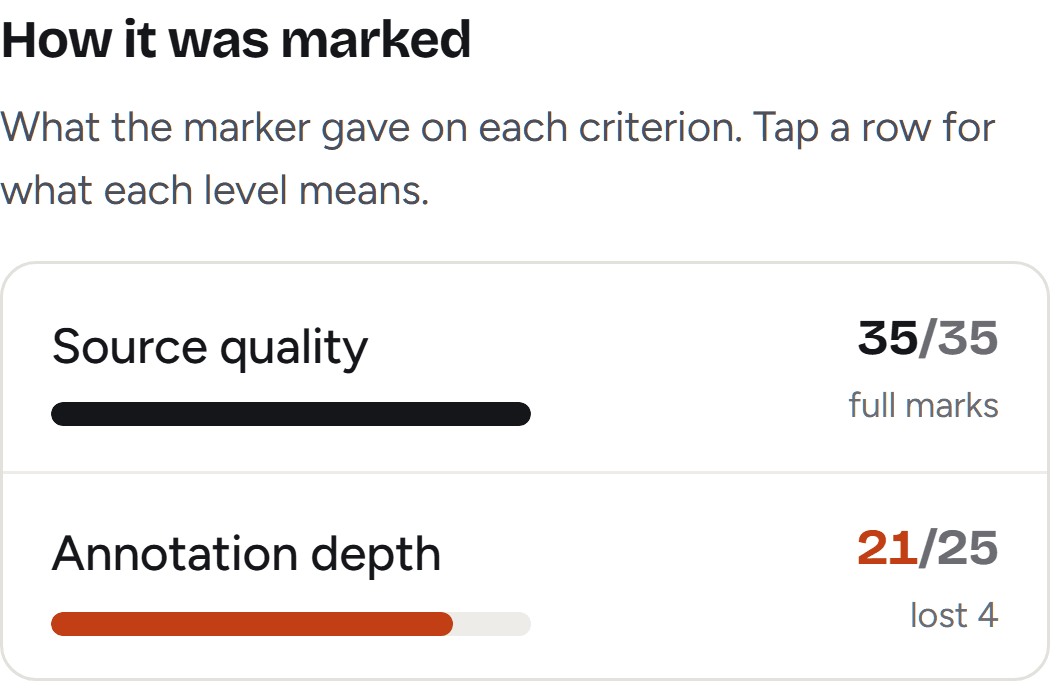
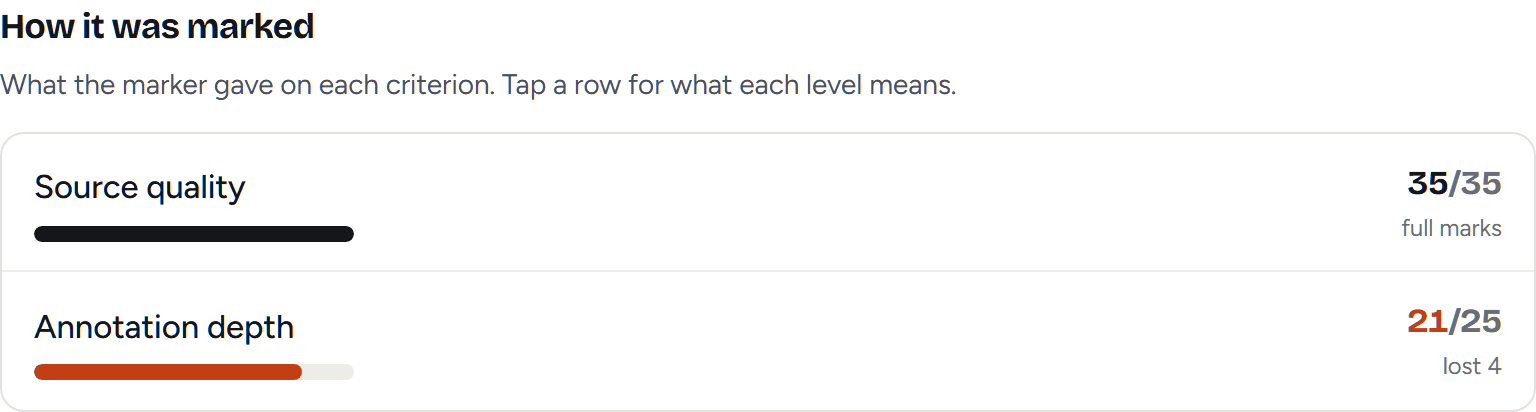
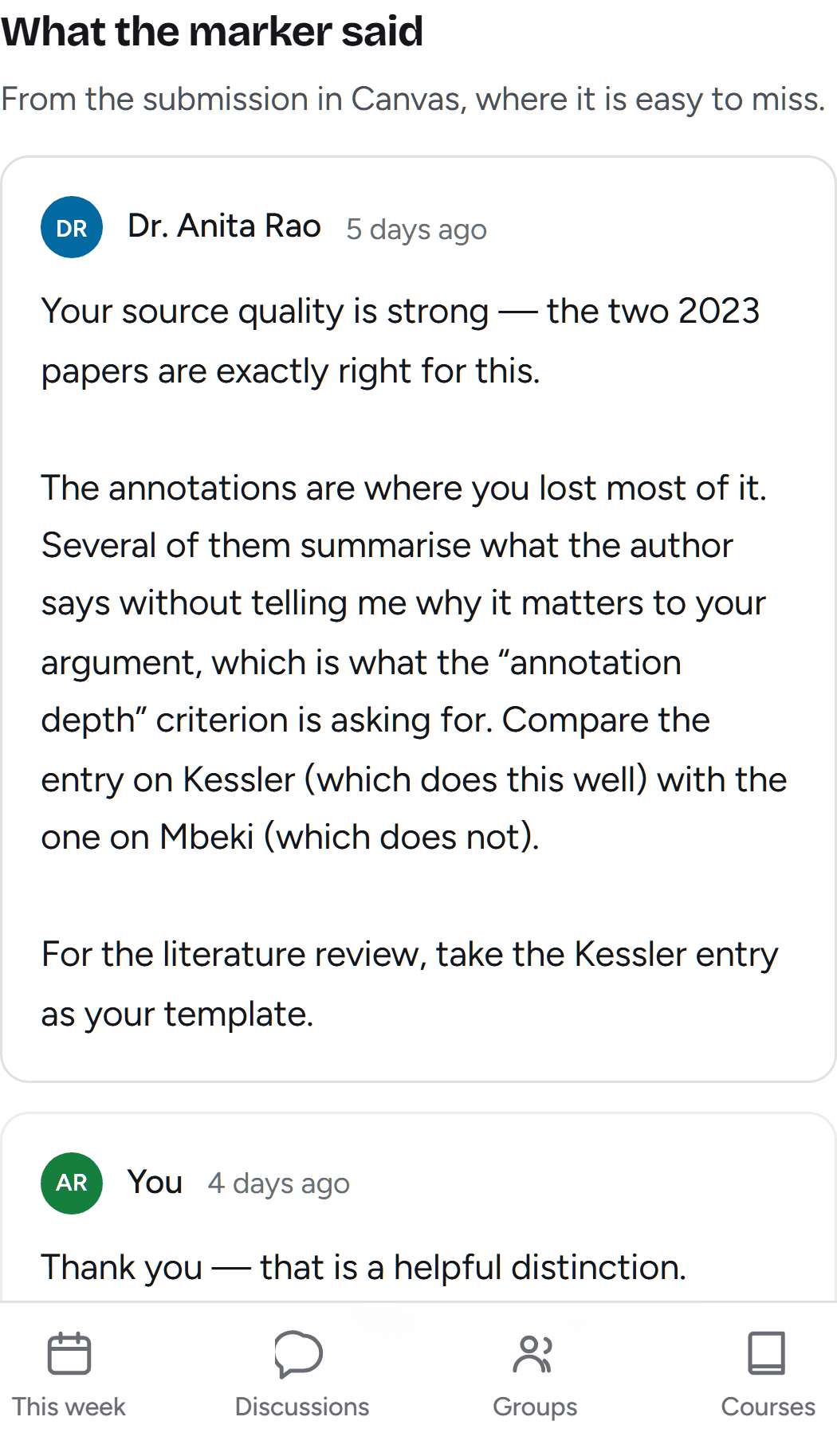
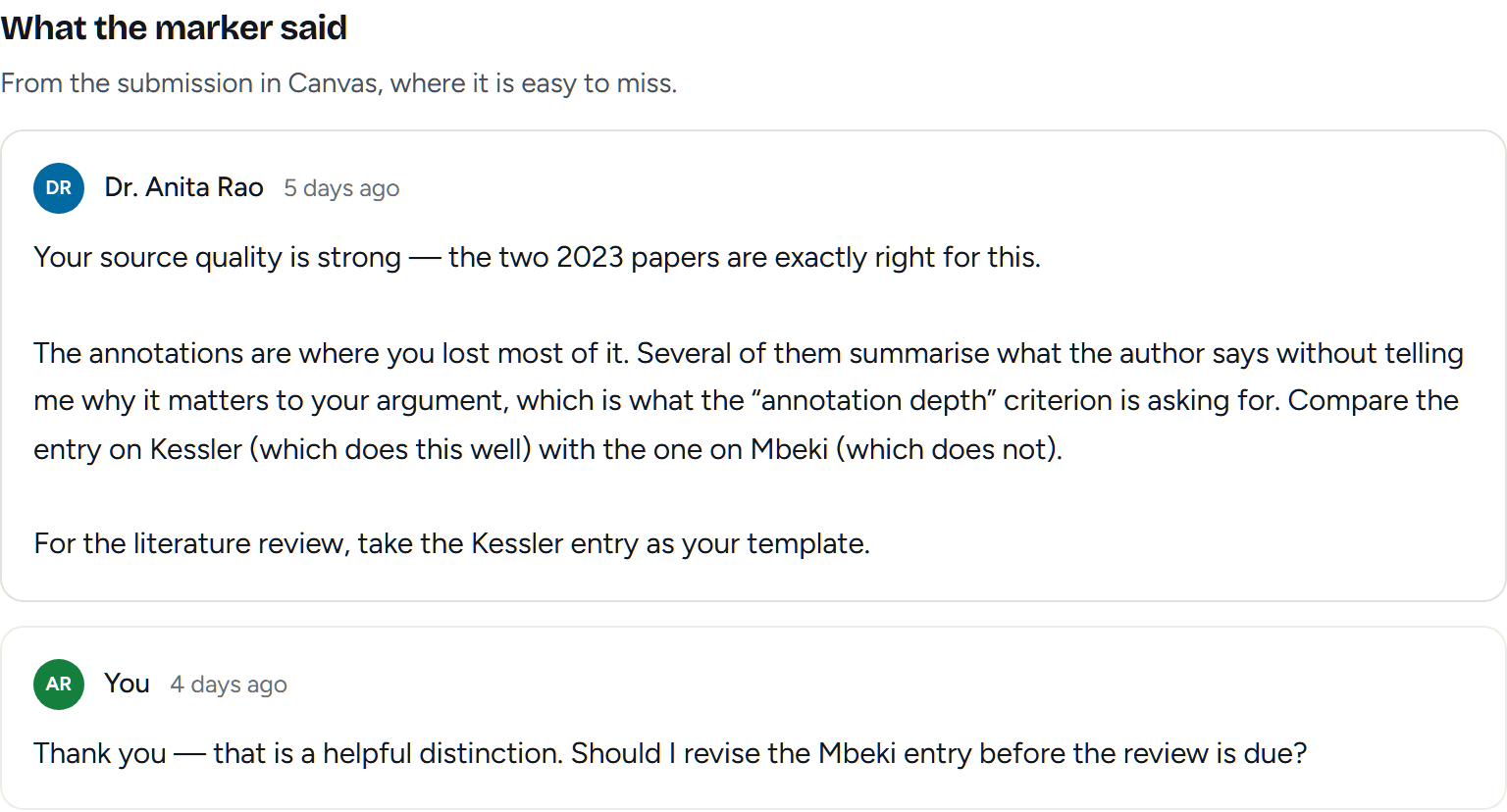
In full, and never summarised. A marker’s own words are the one thing here that has to survive intact — and the reply goes back in the same thread, which is the shortest route from a bad mark to a better one.
It stays after the course ends, too. On the account this was built against, a course that finished three weeks ago still holds eighteen comments from markers — which Canvas keeps, and which nothing surfaces.
On your phone
An icon, not a tab
- Opens straight into this weekNo browser chrome, no sign-in every time, no hunting for the tab.
- Works with no signalUnderground, in a lecture hall, on a coach. The last week it read stays readable.
- Nothing to downloadNo App Store, no update to install. Add it from the browser you are already in.
It can’t touch your coursework
- Read-onlyno submit, reply or delete anywhere in the code
- Your token is encryptedstored only against your own account, never shown to anyone else
- Won’t do your workpoints you at it, never writes it
Free, nothing to connect
Two calculators you can use right now
No account and no Canvas token. Same maths the app runs, on numbers you type in.
What do I need on my final?
Every letter grade at once, including the ones already out of reach and the ones you could not lose if you tried.
Open the calculator →
Can I still raise my GPA?
What this term has to look like to move your cumulative — and it will tell you when the number you are aiming at is arithmetically impossible.
Open the calculator →
Written for students
The things Canvas does that quietly cost people grades
Worked out from the same calculations Waypoint runs, and from a real enrolled account rather than the help centre.
6 min read
A Canvas rubric is a budget, not a checklist
6 min read
Two courses, one Sunday night
7 min read
Why nobody replies in your Canvas group discussion
Reviews
There aren’t any yet, and we’re not going to make some up
Waypoint is new. Every other tool at this stage puts five glowing quotes and five stock photos on this page, and every student reading it knows exactly what those are. When a real person says something worth quoting, it will go here with their name and their school attached.
What’s here instead is checkable. The numbers above came off a real account. The read-only claim is verifiable in the code. And the first thing you see after connecting is your own data — if it’s wrong, you’ll know within thirty seconds, which is a better guarantee than a testimonial.
Official support
Ask your school to make this official
Today you connect Waypoint with an access token you generate yourself. It works, and it’s read-only — but it’s a workaround, and you shouldn’t have to paste a credential to use software.
The proper version is a sign-in button, which requires a developer key issued by your institution’s Canvas administrator. They grant those when students ask. Add your school and the request goes on the list that gets put in front of them.
Takes about a minute
- 01In Canvas, open Account → Settings and click New Access Token.
- 02Copy it. Canvas only shows it once.
- 03Paste it into Waypoint with your school's Canvas address.